YouTube Thumbnail Downloader – Instant HD Thumbnail Saver
0.0 (0 reviews)
·v1.0.0
·2 downloads
Overview
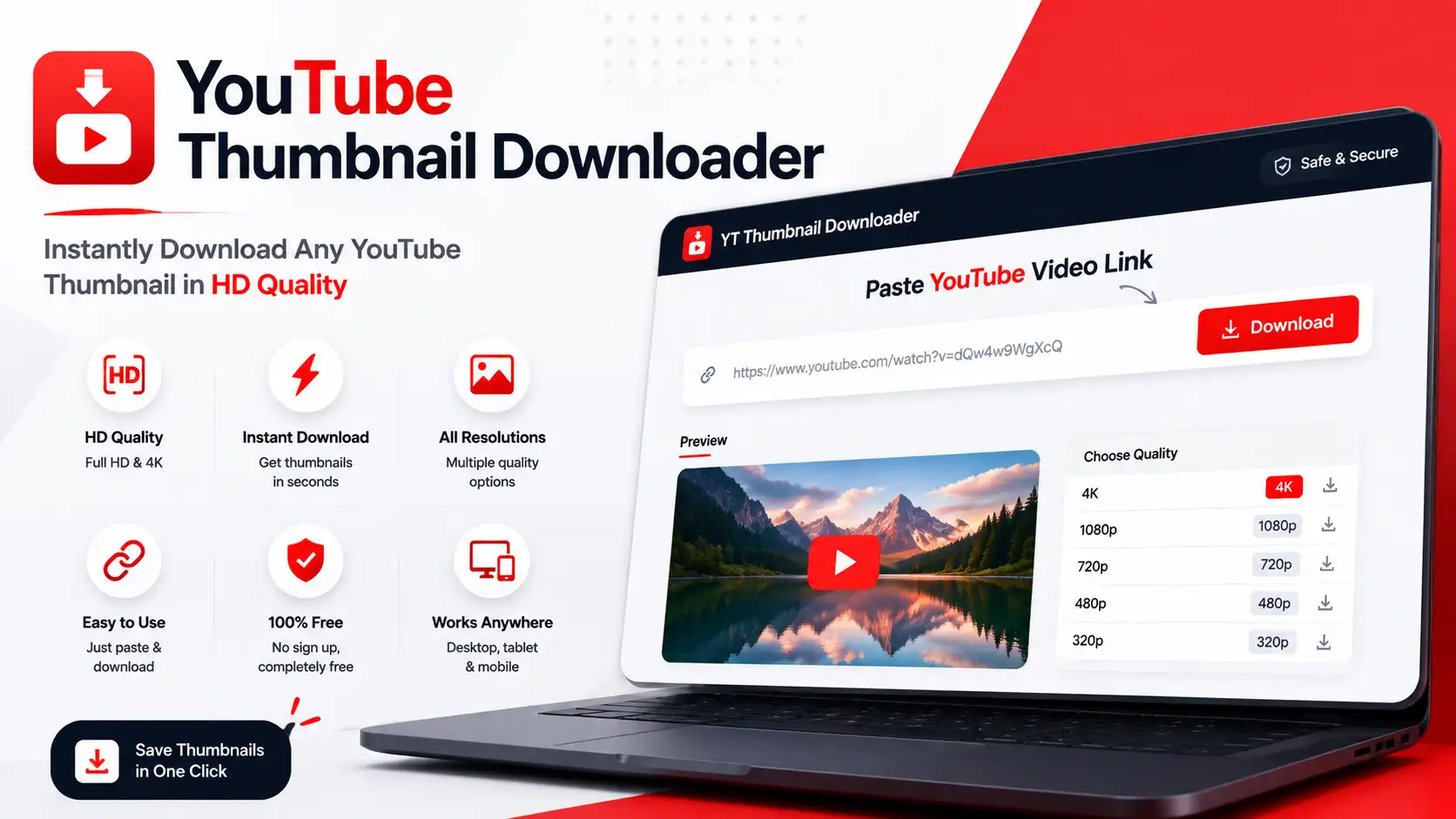
YouTube Thumbnail Downloader is a fast and lightweight browser-based tool that allows users to instantly download HD, SD, and 4K YouTube video thumbnails. Built entirely with pure HTML5, CSS3, and vanilla JavaScript—no backend or database required—it provides a clean, responsive design for seamless use across all devices. Perfect for YouTube creators, marketers, and developers looking to grab video thumbnails with ease.
✨ Key Features
- ⚡ Instant Download: Paste any YouTube video link and get the thumbnail in seconds.
- Multiple Resolutions: Download thumbnails in HD, SD, or 4K quality.
- Responsive Design: Works smoothly on desktop, tablet, and mobile browsers.
- No Backend Required: 100% client-side code, runs directly in the browser.
- Lightweight & Clean Code: Easy to customize using HTML, CSS, and JS.
- Dark Mode Ready: Adapts automatically to user’s system theme.
⚙️ How to Install
- Download or clone the project folder.
- Make sure
index.html,styles.css, andscript.jsare in the same folder. - Open
index.htmlin your browser to start using YouTube Thumbnail Downloader.
How to Use
- 1. Copy a YouTube video URL from your browser or app.
- 2. Paste it into the input field and click “Download Thumbnail.”
- 3. Choose your desired resolution and save the thumbnail instantly.
️ Support
- For any issues or questions, contact us through the CodeCanyon support page.
- We regularly provide updates and improvements based on user feedback.